Include office information
Add meeting room details, guest Wi-Fi information and other useful office information to your visitor badges.
Visitor badge printing
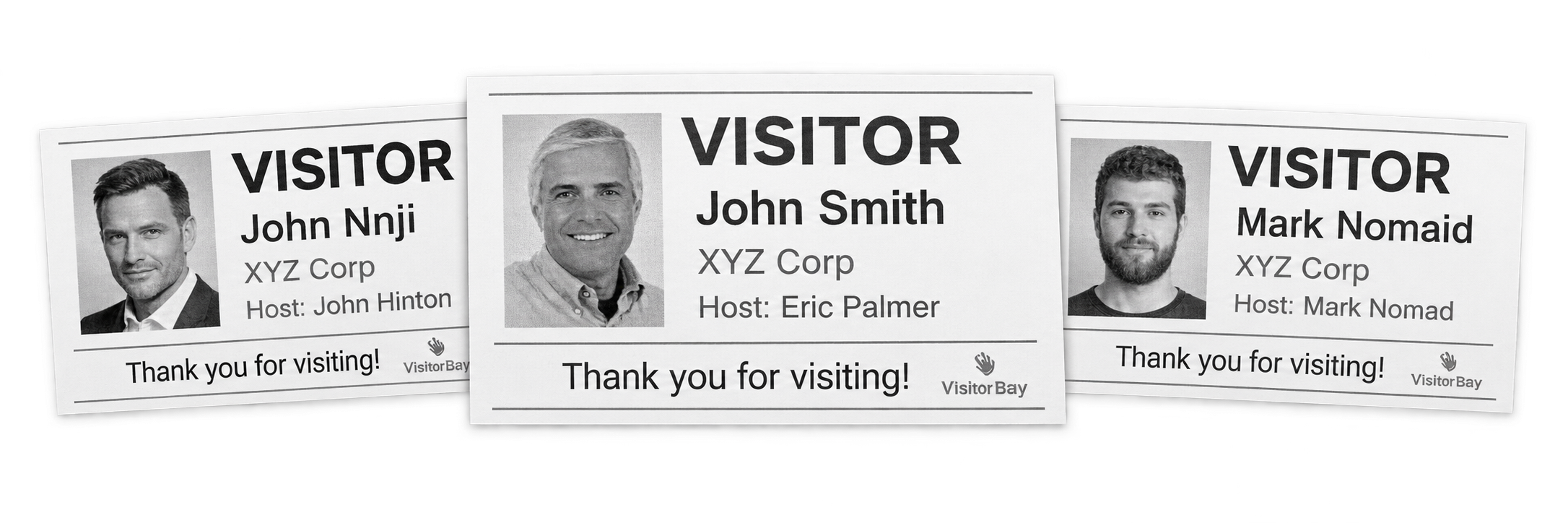
Print branded visitor badges as part of your VisitorBay sign-in workflow. Give guests a clear way to identify themselves and help employees recognize visitors throughout your workplace.
Bring your logo, visitor details and useful office information together on a badge that supports your reception process and office policies.

Give guests a visible badge during their visit.
Include your organization’s logo and messaging.
Use supported printers with your sign-in setup.
Built around your front desk
Create visitor badges that fit your workplace, from the information guests need to the branding employees recognize.
Add meeting room details, guest Wi-Fi information and other useful office information to your visitor badges.
Prepare badges in advance for visitors who pre-register before their meeting, helping reception get ready for expected arrivals.
Upload your organization’s logo in the VisitorBay dashboard and include it on visitor badges for a consistent workplace identity.
Clearer identification on site
Make visitor details easier to recognize and give your team visible information to support its workplace security procedures.
Use photo capture to help hosts recognize arriving guests. Include a visitor photo on the badge where configured.
Display visitor sign-in times and expected visit end times so staff can review whether a badge is current.
Help staff notice visitors who are not displaying a badge and follow your workplace’s process for checking their status.
A badge that feels like your workplace
Choose the details and messaging that make your badges useful for guests and recognizable to your team.
Hardware that fits your reception
Use compatible badge printing hardware and supplies to support your visitor sign-in workflow.
Connect a supported badge printer to your office network for printing from your iPad sign-in setup. The Brother QL-820NWB uses thermal printing and is included in VisitorBay’s published hardware options.
Set up additional printers at different reception points within the same office to suit your visitor arrival process.
A more organized arrival starts here
Try VisitorBay free for 30 days, or request a quote for your visitor management and badge printing setup.