iPad visitor sign-in
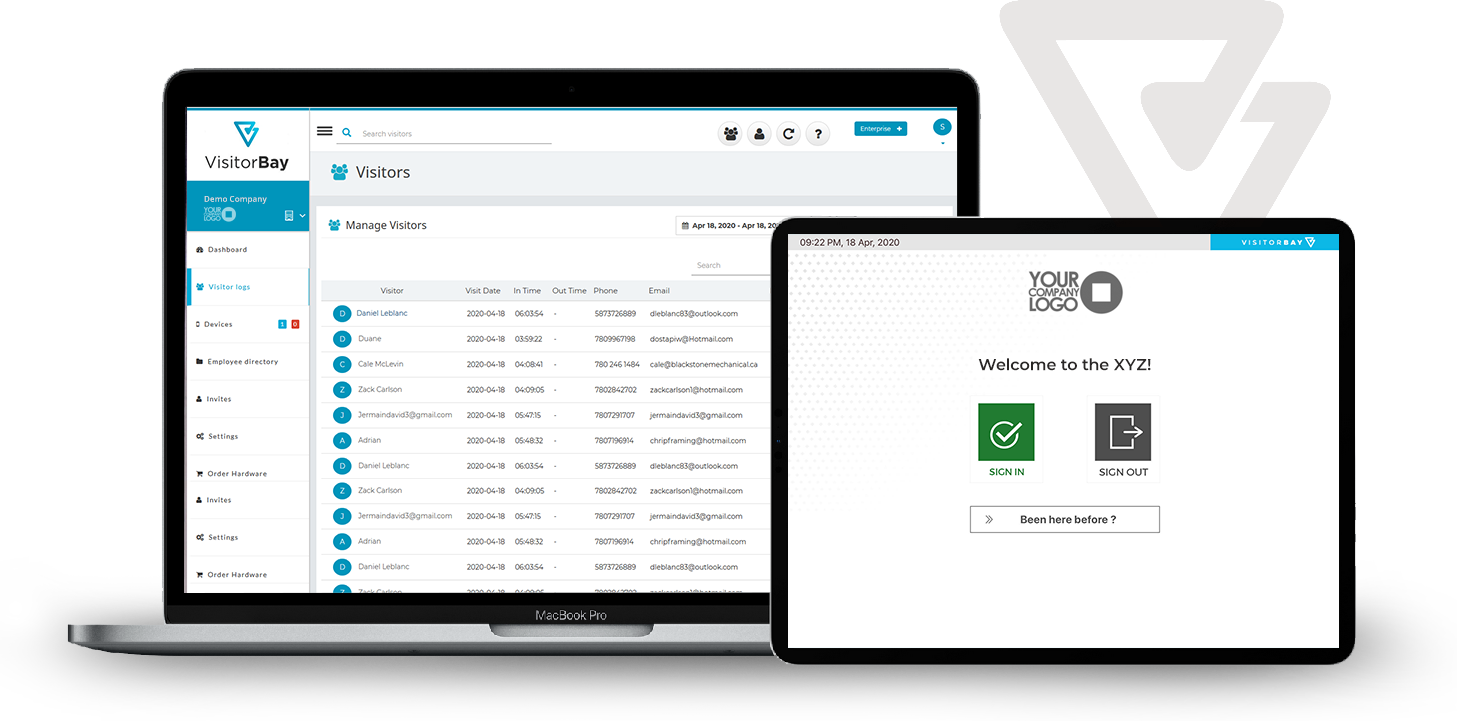
Replace paper logs with a branded visitor sign-in app that captures guest details, visit purpose, policy acknowledgements, and returning visitor information.
Get a clear overview of VisitorBay features for iPad visitor sign-in, host notifications, badge printing, digital policy acknowledgements, reporting, package tracking, and secure visitor records.
What is included
Complete the form and you will receive a system email with a copy of the VisitorBay feature sheet. It is built to help you quickly review the visitor management tools available in VisitorBay before starting a free trial or booking a meeting.
Enter your details and we will email you the VisitorBay product overview and feature sheet.
Feature categories
Replace paper logs with a branded visitor sign-in app that captures guest details, visit purpose, policy acknowledgements, and returning visitor information.
Notify employees automatically when their visitors arrive using email, SMS, or Microsoft Teams notifications.
Print visitor badges at reception so guests are easy to identify while they are on site.
Collect signed NDAs, safety policies, office rules, and other visitor documents during the sign-in process.
Search visitor history, review on-site activity, export records, and understand front-desk traffic patterns.
Track package deliveries, notify recipients, and keep delivery activity organized in one visitor management system.
Common questions
VisitorBay is designed to be easy to set up and configure. You can create a new office location in your dashboard and follow the guided setup process step by step.
Each iPad sign-in device is considered an office location. Many companies use one iPad per office, while others use multiple devices for different entry points.
Any iPad running current iPadOS firmware can be used to operate the VisitorBay sign-in app. VisitorBay currently supports iOS/iPadOS devices.
VisitorBay offers flexible pricing for different workplace needs. You can start with a free trial, review your requirements, and adjust your plan as your visitor management needs change.
There are no cancellation fees on monthly pay-as-you-go plans. Annual pre-paid plans are non-refundable, but you can choose whether to renew at the end of the term.
VisitorBay takes security seriously and is built for organizations that need reliable workplace visitor records, cloud storage, and secure administrative access.
Start a free, no-obligation trial to see how VisitorBay visitor management software fits your front desk workflow.