01SCAN
Scan the QR Code
Visitors open their smartphone camera and scan the QR code displayed at your entrance.
Contactless visitor sign-in
Let visitors check in using their own smartphones with VisitorBay’s QR code visitor sign-in system. Replace paper sign-in sheets and dedicated kiosks while automatically notifying employees, collecting visitor information and maintaining accurate digital records.
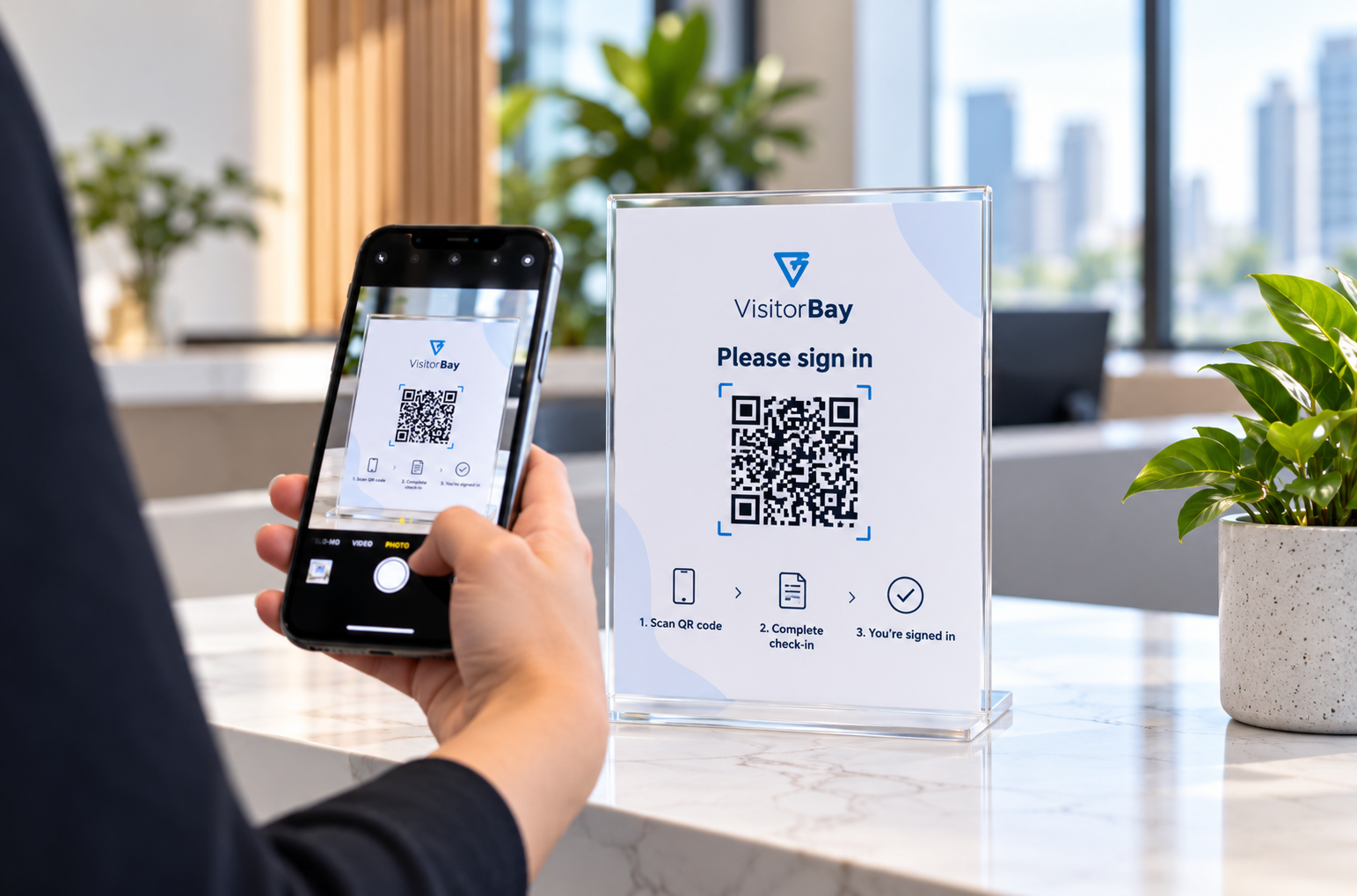
Smartphone-based visitor sign-in at a VisitorBay QR reception sign. No dedicated tablet required.
Welcome visitors without a shared touchscreen.
Start with a clearly displayed QR code.
Automatic alerts after visitor check-in.
Digital visitor information, ready to review.
From scan to welcome
See how a simple QR code connects smartphone registration with automatic host notifications and digital visitor records.
01SCAN
Visitors open their smartphone camera and scan the QR code displayed at your entrance.
02REGISTER
Visitors enter their details and complete the questions or acknowledgements configured for your workplace.
03NOTIFY
VisitorBay records the check-in and alerts the selected host through your supported, configured notification channels.
Explore the workflow
Step 1
A QR sign at your entrance opens your visitor registration flow. The example shown here displays a demonstration message only; it does not start a live check-in.
Step 2
Guests enter their details on their own phones and complete the questions or acknowledgements required by your workplace.
Step 3
VisitorBay logs the arrival and sends a host notification using the channels configured for your account.
This is an illustrated process guide, not an interactive VisitorBay product session.
Less hardware. A simpler arrival.
Simplify arrivals for your guests and reduce manual check-in tasks for your team.
Display a QR sign at your entrance so visitors can register on their own phones. Avoid buying, mounting and maintaining a dedicated check-in tablet.
Offer touchless visitor registration on each guest’s smartphone. Visitors can check in without sharing a touchscreen, pen or paper logbook.
Let employees know when their guests arrive. Automatic host notifications reduce the need for reception calls and help visitors reach the right person sooner.
Collect the information your team needs at arrival. Configure visitor questions and digital acknowledgements to suit your workplace’s registration process.
Replace handwritten entries with searchable visitor history. Give administrators clear visit records and a real-time list of signed-in visitors.
Offer a consistent sign-in process across your facilities. VisitorBay’s multi-location management tools help teams organize visitor activity as your organization grows.
Leave the paper log behind
Paper logs record visitor details manually. VisitorBay connects smartphone check-in with automatic host notifications and searchable digital records.
| Feature | Paper Sign-In | VisitorBay QR Sign-In |
|---|---|---|
| Smartphone check-in | No | Yes |
| Automatic digital visitor records | No | Yes |
| Automatic host notifications | No | Yes |
| Searchable visitor records | No | Yes |
| Digital acknowledgements | No | Where configured |
| Real-time visitor list | No | Yes |
| Manual visitor log entry | Required | Not required for standard registration |
Digital acknowledgements and host notifications depend on your configured workflow and supported channels. Visitors need a compatible smartphone and internet access.
Contactless check-in for your workplace
Display a visitor check-in QR code wherever guests arrive and your team needs an organized registration process.
Welcome clients, interview candidates and vendors without a dedicated check-in kiosk. A clearly displayed QR sign helps guests begin registration as they arrive.
Simplify visitor check-in at managed buildings and shared reception areas. Give property teams organized digital records instead of loose paper logs.
Register contractors and visitors before they enter your facility. Collect relevant site acknowledgements where configured in your visitor workflow.
Standardize QR code visitor check-in across multiple facilities. Give local teams a consistent approach to registering guests and reviewing visitor activity.
Before you get started
Answers to common questions about smartphone check-in, contactless registration and setting up VisitorBay.
Talk to the VisitorBay team →Explore our digital visitor sign-in system, visitor management features or pricing and plans.
A visitor scans the QR code displayed at your entrance using their smartphone camera. They complete the configured registration steps, and VisitorBay records the visit and notifies the selected host.
Yes. Visitors can register on their own smartphones without an iPad or dedicated kiosk. Your workplace needs a VisitorBay account and a clearly displayed check-in QR code.
Visitors need a compatible smartphone with a QR-capable camera and an internet connection. Provide an assisted check-in option for guests who cannot use a smartphone.
Yes. You can include visitor questions and digital acknowledgements where configured in your registration workflow.
VisitorBay supports host notifications by email, SMS and Microsoft Teams. Available alerts depend on your account setup and the notification channels configured for your workplace.
Yes. VisitorBay includes multi-location management tools. Contact us to discuss your facilities, administrators and visitor workflows before rolling out QR sign-in.
Yes. Start a free 30-day trial with no credit card required, or request a quote to discuss your organization’s visitor management requirements.
A better welcome starts here
Try contactless visitor sign-in at your workplace with a free 30-day VisitorBay trial. No credit card required. Prefer to discuss your requirements first? Request a quote for your organization.