Readable records, fewer paper logs
Collect names, companies and visit details through a consistent registration process. Authorized administrators can find recorded visits without searching through reception binders.
Simplify visitor registration across commercial properties with VisitorBay. Welcome guests, contractors, vendors and deliveries with digital sign-in, tenant and host notifications, visitor badges and current visitor records—all from one platform.
Try VisitorBay free for 30 days. Plan your building’s setup with our Canadian team.

A clearer day at reception
Paper logs, manual tenant calls and separate reception records make a busy building harder to coordinate. Give guests a consistent welcome and your team a usable digital record.
A property management visitor management system connects the front desk with the details behind each visit. VisitorBay helps commercial property teams register guests, identify the host they are visiting and review recorded activity across supported locations.
Collect names, companies and visit details through a consistent registration process. Authorized administrators can find recorded visits without searching through reception binders.
Notify a selected host or configured tenant contact when a visitor checks in. Give reception a clearer handoff without making a separate call for every arrival.
Configure each supported location for the information it needs while keeping visitor administration in one portal. Plan shared reception and host lists around your building’s operations.
Connected tools for commercial reception
Bring visitor registration, reception handoffs and recordkeeping into one workflow, with the setup and plan that fit your buildings.
Replace paper sign-in sheets with the VisitorBay iPad app or supported QR check-in on a visitor’s own smartphone.
See QR sign-in →Notify the selected host or configured tenant contact through supported email, SMS or Microsoft Teams channels.
Explore host notifications →Configure the available host directory around contacts in your building. Plan a shared reception process that helps visitors select the right person.
Discuss your building setup →Register maintenance teams, vendors and service providers. Collect configured questions and acknowledgements during sign-in.
Explore contractor sign-in →Print professional visitor badges using supported Brother label printers and compatible supplies for your registration setup.
Explore visitor badges →Record incoming packages and notify configured recipients through supported delivery workflows. Package delivery notifications are available on Enterprise.
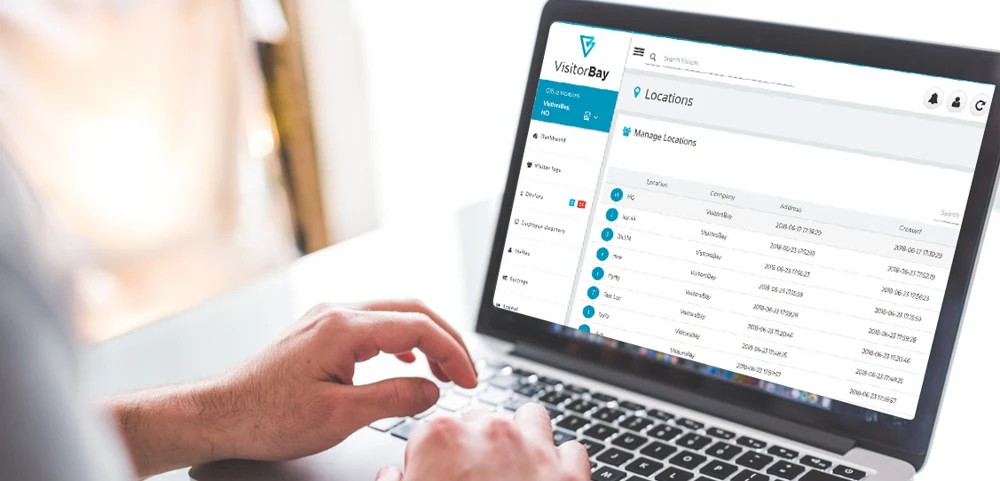
See delivery notifications →Review currently signed-in visitors and registration history through the administration portal. Find visit details without paper logbooks.
Explore visitor records →Consult the list of visitors currently signed in and use supported emergency notifications alongside your building’s response procedures.
Explore emergency features →Manage supported locations through one administration portal. Give authorized property teams a consistent way to review visitor activity.
Explore location management →Notification channels and features depend on your plan and configuration. Badge printing requires compatible hardware. Shared reception and host-directory arrangements should be confirmed with VisitorBay for your property.


From lobby arrival to a recorded visit
Give visitors three clear steps while reception keeps the arrival process moving.
Guests begin at your iPad station or scan your reception QR code to register on their own compatible smartphone.
Visitors select their host from your configured directory and complete the required details, questions or acknowledgements.
VisitorBay sends a supported arrival notification and records the visit for authorized administrators to review.
Prefer a lobby setup without a dedicated iPad? Display your QR code at reception so visitors can sign in on their own smartphones.
Explore QR visitor sign-inBuilt around commercial property operations
Use commercial building visitor sign-in at the reception points your team manages, with local settings that suit each property.
Welcome guests visiting businesses throughout the building. Help your lobby team capture the host and visitor details needed for a clear reception handoff.
Configure shared reception areas and available host lists around the tenant contacts your building supports.
Manage visitor registration across supported building locations from the administration portal.
Give guests a consistent registration process across your supported offices and reception points.
Register visitors, vendors and service providers at shared administrative or commercial reception areas.
Planning multi-tenant visitor management or several building locations? Confirm your host directory, administration access and reception workflow with our team.
Request a Property QuoteLess calling around. Clearer arrivals.
In a shared lobby, the next step often depends on finding the right contact. VisitorBay sends an arrival alert to the selected host or configured tenant contact after a visitor signs in.
Tenant contacts must be configured in your supported directory setup. This does not imply synchronization with property management platforms or physical access-control systems.
Support your building’s response procedures
Give authorized administrators access to current signed-in visitor records and registration history. When your team needs recorded visitor details, a searchable digital record is easier to consult than reception binders.
Visitor records rely on accurate sign-in and sign-out activity. VisitorBay supports your procedures; it does not grant building access or replace physical checks, access control or emergency response.
Leave the binder behind
Compare standalone paper logs with a configured office building visitor management system.
| Reception task | Paper logs | VisitorBay |
|---|---|---|
| Visitor registration | Handwritten sign-in sheets | Digital iPad or supported QR sign-in |
| Tenant & host notifications | Separate reception calls or messages | Supported automatic arrival alerts |
| Visitor records | Search through reception binders | Searchable digital visit records |
| Visitor badge printing | Separate manual process | Supported Brother printer setup |
| Emergency visitor lists | Review sign-in and sign-out entries manually | Current signed-in records in the portal |
| Multi-location administration | Separate logs at each building | Central administration of supported locations |
Features depend on your plan, configuration and hardware. Current signed-in records reflect recorded visits rather than live physical location tracking.
Explore all VisitorBay features or compare plans and pricing.
Questions from commercial property teams
Answers for office towers, shared reception areas and property managers comparing digital visitor registration.
Talk to the VisitorBay team →A property management visitor management system replaces paper reception logs with digital visitor registration and recorded visit information. For commercial properties, VisitorBay combines iPad or supported QR sign-in, configured host notifications, visitor badges and administration of supported locations.
Visitors check in at shared reception, select their host from the configured directory and complete the required registration details. VisitorBay records the visit and sends a supported notification to the selected host or tenant contact. Confirm the directory and shared reception configuration for your building with VisitorBay.
Yes. When a tenant contact is configured as a host in your supported directory setup, VisitorBay can send an arrival notification using the channels enabled for your account. Supported host channels include email, SMS and Microsoft Teams, depending on your plan and configuration.
Yes. Authorized administrators can manage supported locations through the VisitorBay portal. Discuss your properties, reception points, administrator access and location requirements with our team before rolling out across multiple buildings.
Yes. Contractors and vendors can complete configured visitor registration questions and acknowledgements. Supported package delivery workflows let reception record deliveries and notify designated recipients. Package delivery notifications are available on Enterprise; confirm the workflow and plan for your property.
Yes. Supported Brother label printers can produce visitor badges with compatible supplies and setup. Authorized administrators can consult records of visitors currently signed in to support emergency accountability. These records depend on accurate sign-in and sign-out activity and complement your building’s existing procedures.
A better welcome across your portfolio
Give your reception teams a consistent way to welcome guests, notify tenant contacts and maintain visitor records. Start your free 30-day trial or request a quote tailored to your commercial properties.
View plans and pricing · Canadian support and data hosting